Documentation · version 1.0.0
Guestroll
Event photo and video sharing by QR code, as a SaaS. Photographers, venues and planners sign up on your platform and pick a plan. For each event they get a QR code: guests scan it and add photos and videos from the phone browser, with no app and no account. Hosts get a shared gallery, a live screen for the venue and one ZIP with every file.
Requirements
Any normal cPanel or Plesk hosting works, as does a VPS. You don't need SSH, Composer, Node.js, Python, FFmpeg or a separate queue worker.
| Item | Needed |
|---|---|
| PHP | 8.3 or newer (8.3, 8.4 and 8.5 are supported). |
| PHP extensions | bcmath, ctype, curl, dom, fileinfo, gd (thumbnails and watermarks), intl, json, mbstring, openssl, pdo, pdo_mysql, tokenizer, xml, zip (event downloads) and sodium (update packages). exif is recommended so phone photos are turned upright. The installer lists anything missing. |
| Database | MySQL 8.0+ or MariaDB 10.6+. |
| Web server | Apache (with mod_rewrite), LiteSpeed or Nginx. |
| HTTPS | Required in practice: phone cameras open QR links over HTTPS, and payments need it. |
| Disk space | Photos and videos are kept in full quality. Plan for the storage you sell (the default plans offer 5, 50 and 200 GB per business). |
| Cron | One cron job that runs every minute (see Cron job). |
Installation
About ten minutes. The steps use cPanel; other panels have the same steps under other names.
- Create the database. cPanel → MySQL Databases: create a database and a user with a strong password, and add the user to the database with ALL PRIVILEGES.
- Upload the files. Upload the contents of the
guestroll/folder, for example to/home/youruser/guestroll(upload the zip in File Manager, then Extract). Check that the hidden.htaccessfiles came along. - Point the domain at the
publicfolder. cPanel → Domains → your domain → Document Root →guestroll/public. If your host forcespublic_html, upload everything into it: the.htaccessin the main folder sends visitors topublic/and blocks everything private. - Run the installer. Open your domain. The installer checks the server, asks for the database details and creates your platform-owner account. There is no licence or activation step.
- Add the cron job (next section), then follow First steps.
Cron job (required)
One cron job, every minute. It builds ZIP downloads, sends e-mails, removes unfinished uploads and expired ZIP files, issues renewal invoices and makes the nightly backup. The same job runs background tasks, so no separate worker is needed.
* * * * * cd /home/youruser/guestroll && php artisan schedule:run >> /dev/null 2>&1Admin → System → Server check shows the exact line for your server and when the cron last ran. If php is the wrong version, use the full path of PHP 8.3+ (your host can tell you which).
| Task | When |
|---|---|
| Background jobs (ZIP files, e-mails) | Every minute |
| Clean-up of unfinished uploads and expired ZIP files (kept 7 days) | Hourly |
| Subscriptions: renewal invoices, overdue and paused businesses | Daily 02:15 |
| Backup of the database and uploads | Daily 03:30 |
First steps as platform owner
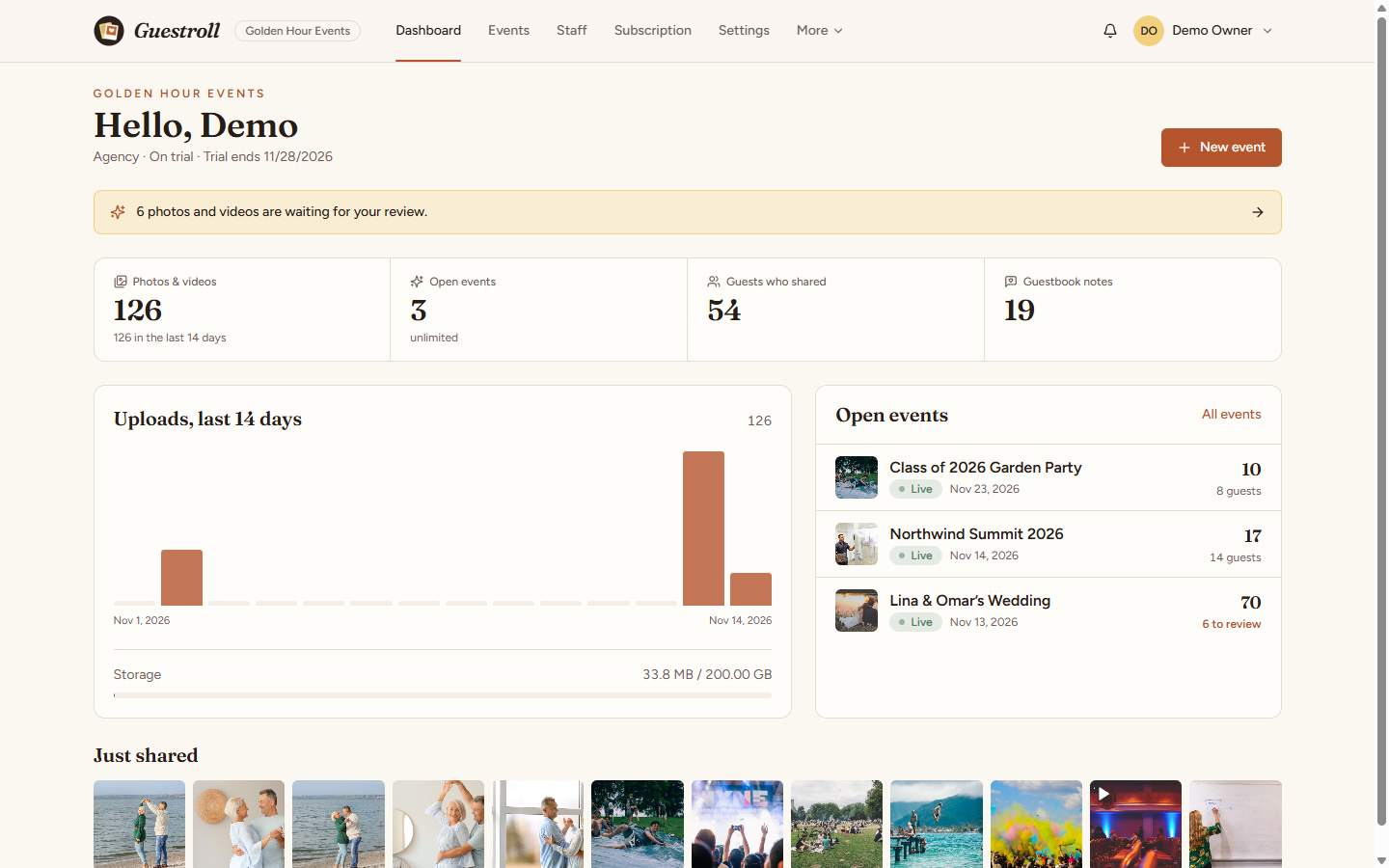
After logging in you see a checklist that ticks itself off:
- Plans and prices: three plans are ready (Starter, Studio, Agency) in US dollars. Set your own prices and currency in Plans.
- E-mail: so businesses get sign-up, password and invoice e-mails (Email).
- Payments: how businesses pay you for their plan (Billing → Settings).
- Logo and website: Website sets your platform name, logo, home page text, FAQ, terms and privacy pages.
- First business: share
/register, or add one under Businesses.
Admin → Email: enter your SMTP details (your hosting mailbox, Mailgun, Postmark, Amazon SES, Brevo…) and send a test. Use a From address on your own domain. The password is stored encrypted. Until e-mail works, new accounts don't have to confirm their address, so nobody is locked out.
Payments
Businesses pay you for their plan. Admin → Billing → Settings turns on the gateways you use. Each card shows the webhook URL to paste in the gateway's dashboard, and keys are checked when you save.
| Gateway | Where to find the keys |
|---|---|
| Stripe | Developers → API keys (secret key) and Webhooks (signing secret). Events: checkout.session.completed, checkout.session.async_payment_succeeded, checkout.session.async_payment_failed, checkout.session.expired. |
| PayPal | developer.paypal.com → Apps & Credentials (Client ID, Secret) and a webhook with the events CHECKOUT.ORDER.APPROVED, PAYMENT.CAPTURE.COMPLETED, PAYMENT.CAPTURE.DENIED, PAYMENT.CAPTURE.DECLINED. |
| Razorpay, Paystack, Flutterwave, Mollie, Mercado Pago, Paymob, Moyasar, Tap | API keys from each dashboard; the card in Guestroll lists the exact fields. Each gateway only shows for the currencies it accepts. |
| Bank transfer | Write the instructions. Businesses upload proof; you confirm it under Billing. |
Plans & limits
Admin → Plans. Each plan has a monthly and yearly price, free trial days, limits and features.
| Limit | Meaning |
|---|---|
| Open events | Draft and live events at the same time. Closed events stay viewable and don't count. |
| Storage (MB) | Total size of every photo and video of the business. Uploads stop with a clear message when it is full. |
| Team members | People who can log in to the business. |
| Feature | What it turns on |
|---|---|
| Guest uploads, Live slideshow, Guestbook | The basics. Every default plan has them. |
| Videos | Guests and hosts can add videos. |
| ZIP download | "Download everything" in the event. |
| Custom branding | Colour and page style per event (otherwise the default look). |
| Moderation | "Review before showing". |
| Custom watermark | The host's text on guest copies of photos. |
Features a plan lacks are shown locked in the event settings, so hosts see what an upgrade adds. Unpaid subscriptions follow the billing cycle in Admin → Billing → Settings (invoice, past due, paused); data is never deleted.
Creating an event
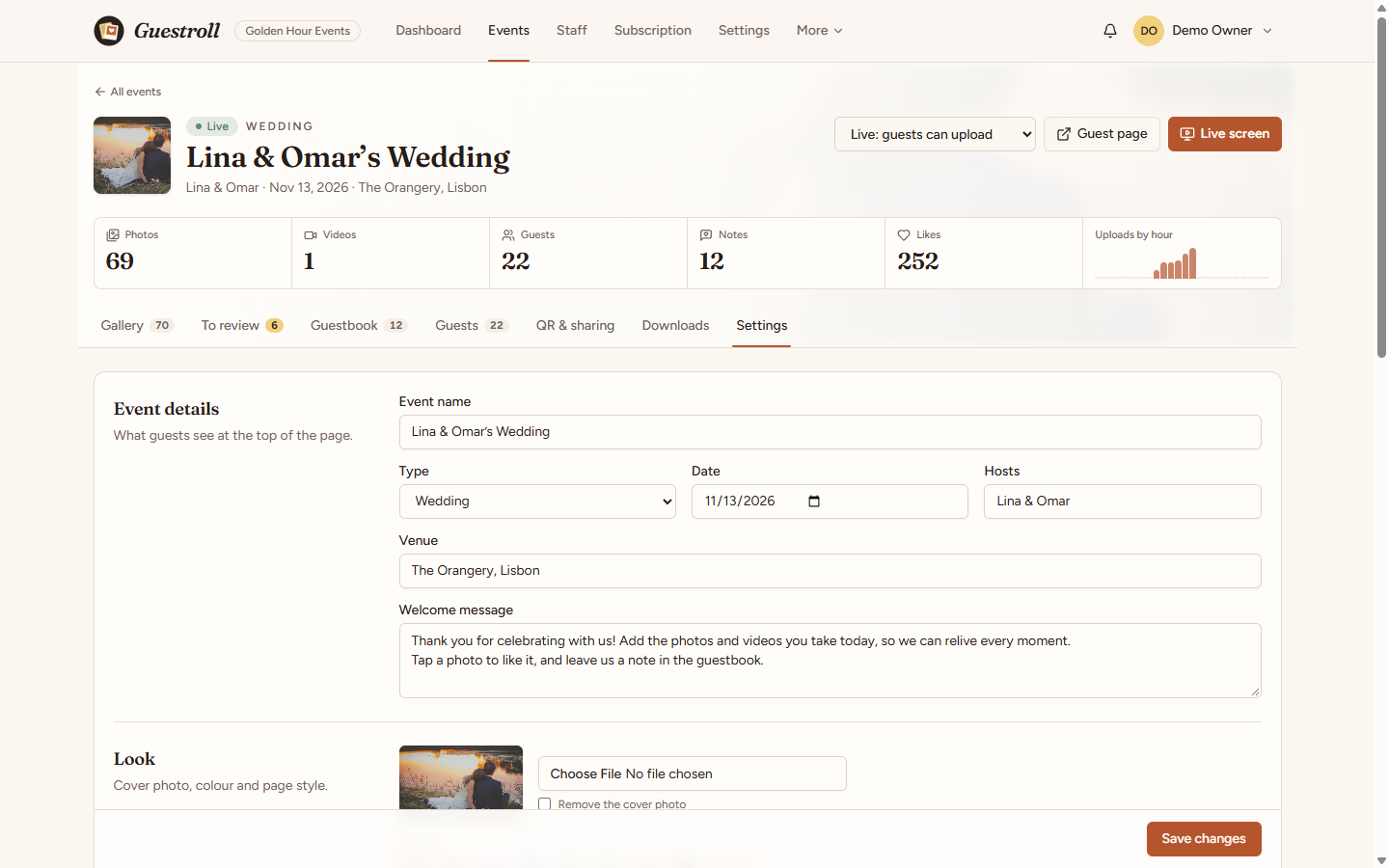
Business dashboard → Events → New event: a name, a type (wedding, birthday, conference…), a date, the hosts' names and the venue. The event is live at once, with its QR code ready.
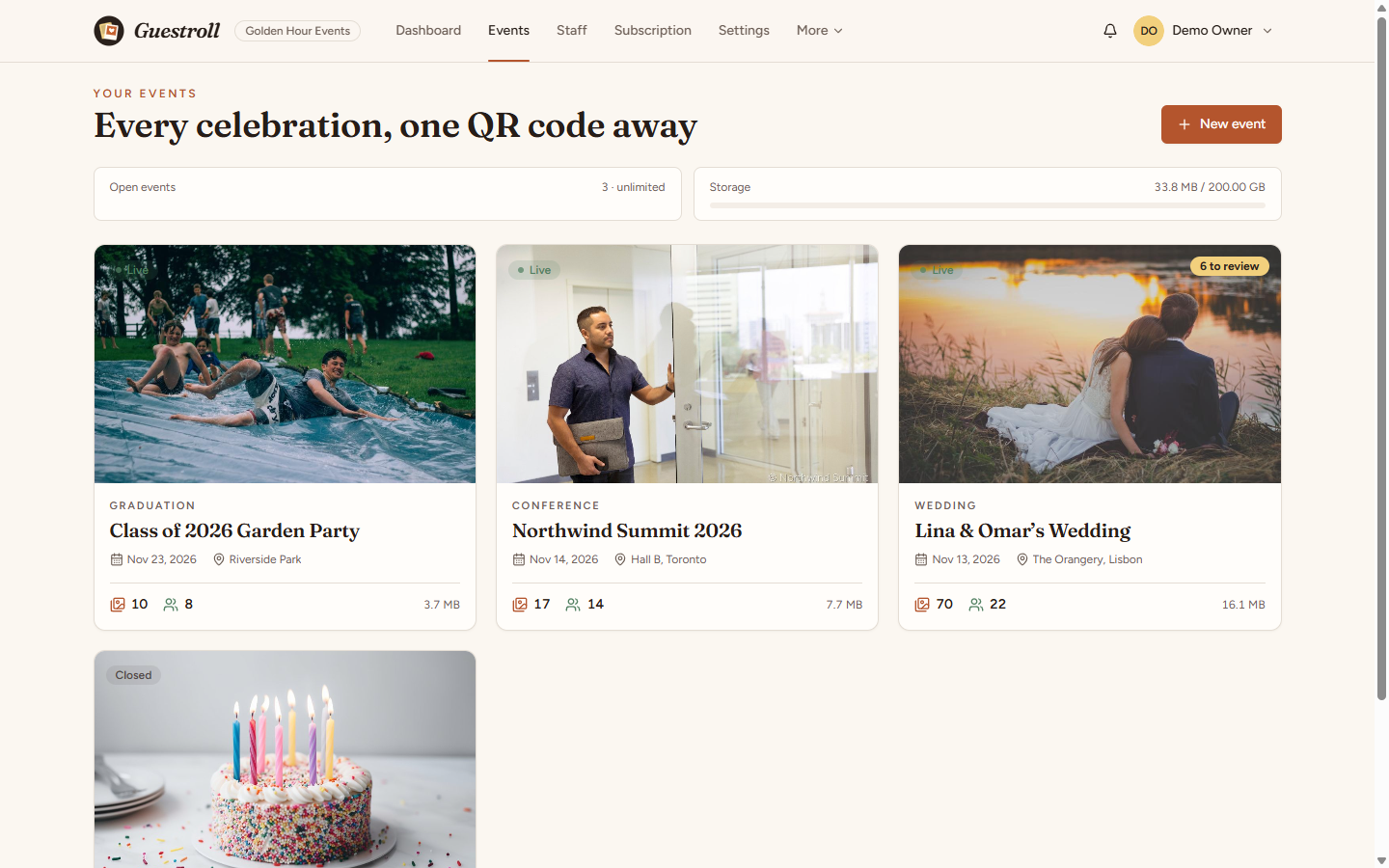
Each event has a workspace with tabs: Gallery, To review, Guestbook, Guests, QR & sharing, Downloads and Settings. The status menu at the top switches between Live (guests can upload), Closed (view only, doesn't count against the plan) and Draft (only the team can open it).
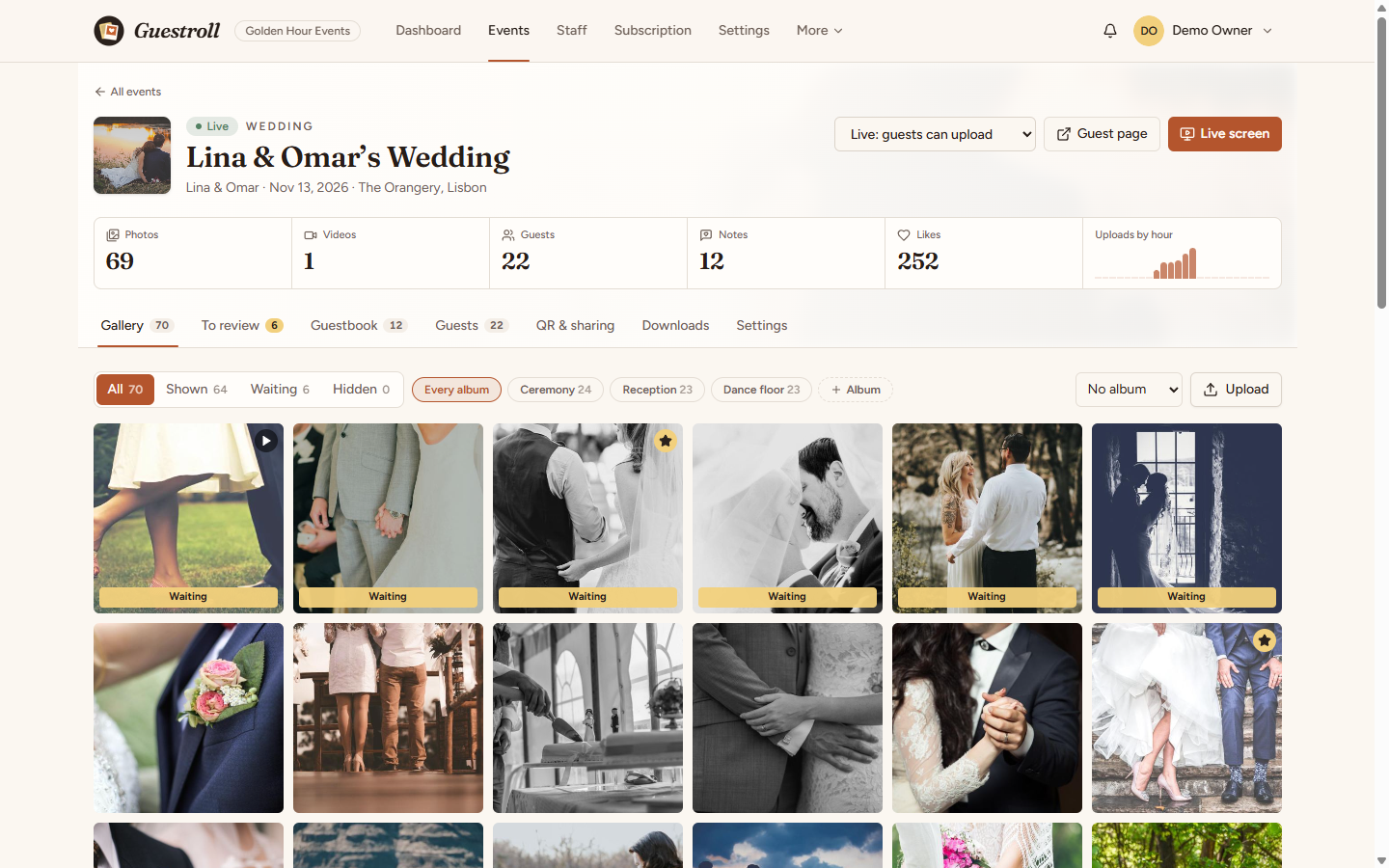
In the gallery you can filter by status and album, select many items, then show, hide, feature, move to an album or delete them. Hosts can upload too (for example the photographer's best shots); their uploads skip review.
QR code & sharing
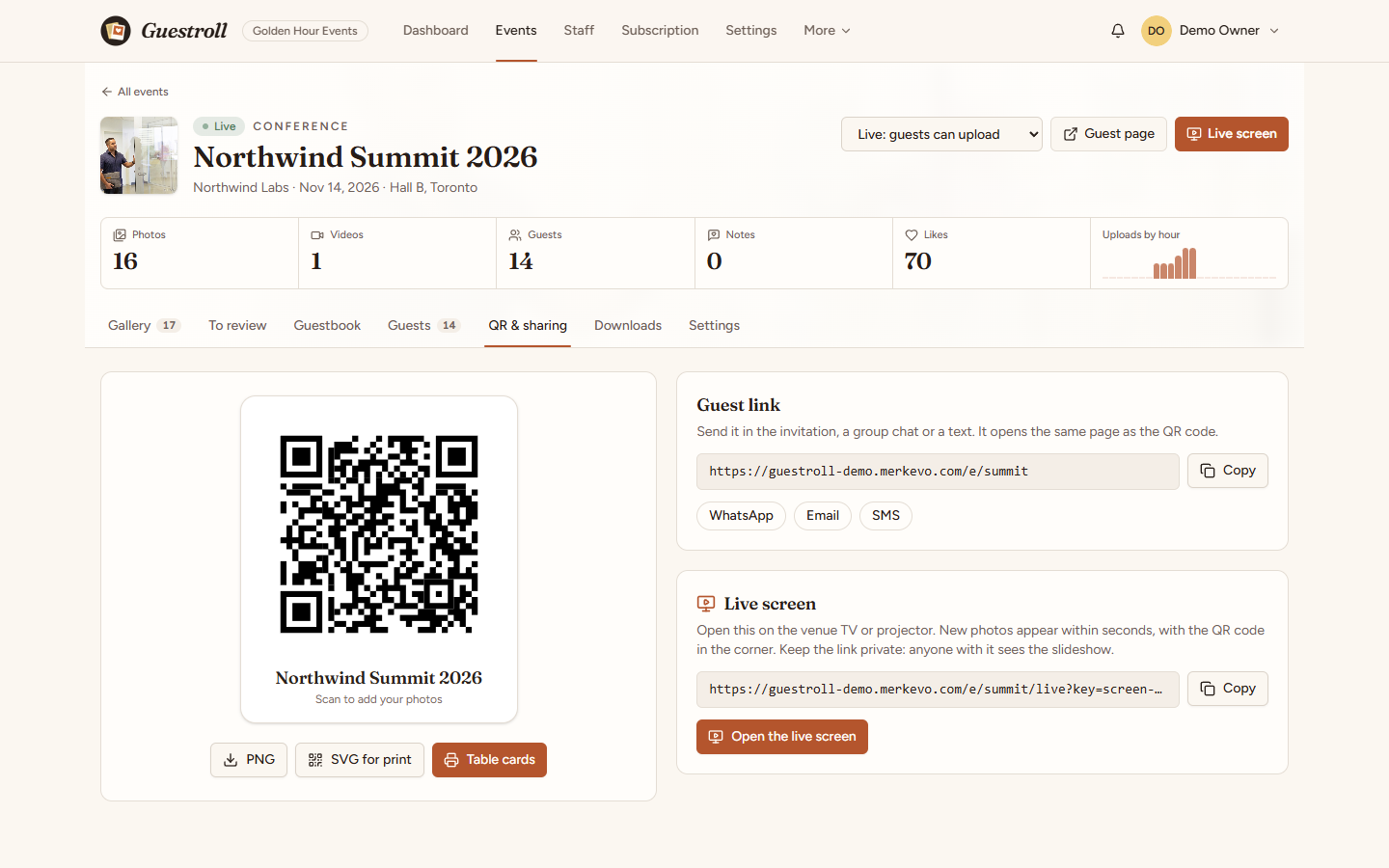
The QR & sharing tab has:
- The QR code as PNG or SVG (for print shops).
- Table cards: four cards per A4 page, or one poster, with your own line of text. Print them, or save them as PDF from the print dialog.
- The guest link, with quick buttons for WhatsApp, e-mail and SMS.
- The private link of the live screen.
What guests see
The QR code opens the event page in the phone browser: the cover, the title, the hosts' welcome message and a big Add photos & videos button. Guests can pick an album, give their name (or skip it), take a picture with the camera or choose many files at once.
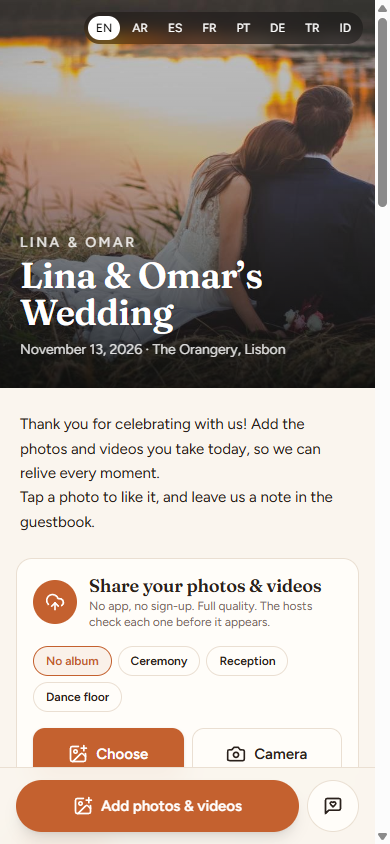
- Files go up in small pieces with automatic retries, so a 300 MB video gets through on venue Wi-Fi and on servers that only accept small requests.
- Gallery: everyone's photos (if the host shares them), with albums, likes and a full-screen viewer.
- My uploads: what this phone sent, with the status, and a button to remove it.
- Guestbook: written wishes for the hosts.
- Guests never create an account. Their phone is remembered by a cookie for that event.
- The page follows the language the business chose, and guests can switch between the business's languages at the top.
Review & guests
With Review before showing on (Settings → Guest rules), new photos, videos and notes wait in To review. Approve or hide them one by one, or all at once. Approved items appear in the gallery and on the live screen; featured items come first on the screen.
The Guests tab lists every phone that shared something, with its number of uploads. Stop uploads blocks that phone and hides what it sent.
Live screen
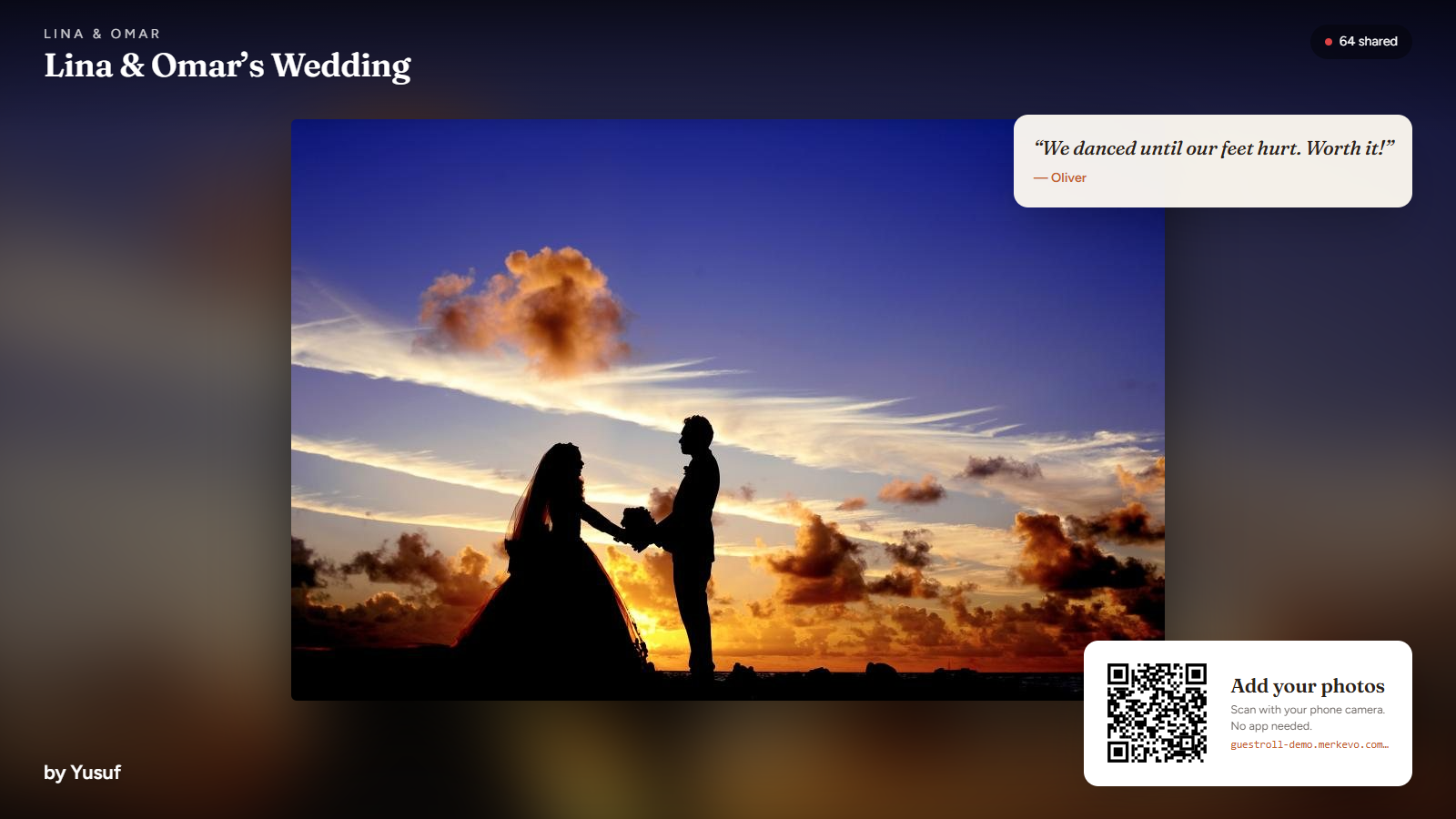
Open the live screen link on the venue TV or projector (press F for full screen, space to pause). It shows approved photos and videos one after another, puts new uploads first within seconds, shows guestbook notes and keeps the QR code in the corner so more guests join. Keep the link private: anyone who has it can watch the slideshow. Your own team can also open it from the event page while logged in, without the link.
Downloads (ZIP)
Downloads → Prepare ZIP (whole event or one album). The ZIP is built in the background by the cron job: it contains the original files in one folder per album, plus guestbook.txt. The page refreshes by itself when it is ready. ZIP files are kept for 7 days and then removed to save space. Files are stored without recompression, so building is quick even for several gigabytes.
Event settings
| Setting | What it does |
|---|---|
| Cover photo, colour, page style | The look of the guest page: Ivory, Noir, Garden or Confetti, in any colour. |
| Welcome message | Shown under the title. |
| Review before showing | See Review. |
| Guests see the shared gallery | Off = private collection: guests only see their own uploads. |
| Guests can download photos | The download button in the guest viewer. |
| Allow videos, Guestbook, Ask for the guest's name | As named. |
| PIN | 4 to 8 digits asked once per browser. Print it on the cards. |
| Uploads per guest, Largest file (MB) | Limits per phone and per file. |
| Close uploads automatically at | After this time the page stays open for viewing only. |
| Watermark | Text written on the copies guests see and download. The originals stay clean for the host. |
| Seconds per photo, notes on screen | Live screen options. |
| Delete event | Removes every photo, video, note and ZIP of the event. Type the event name to confirm. |
Uploads & storage
- Accepted: JPEG, PNG, WebP, GIF, HEIC/HEIF photos and MP4, MOV, WebM, 3GP, M4V videos. The type is checked from the file's content, not its name.
- For each photo Guestroll keeps the original and makes a screen-size copy (1920 px) and a thumbnail, turned upright from the phone's orientation. HEIC files are kept as originals (most phones already send JPEG from the browser).
- Video posters are taken by the guest's browser, so the server needs no video tools.
- Piece size follows your PHP
upload_max_filesize(up to 8 MB per piece). Raising it makes big videos a little faster, but is not required. - The same file sent twice is kept once.
- Files are stored in
storage/app/private/galleryand are never public: every file is served through Guestroll, which checks who is asking (team, guest of that event, or the live screen).
Team & roles
| Role | Can |
|---|---|
| Owner | Everything, including the subscription. |
| Manager | Create and set up events, review, downloads, invite the team. |
| Editor | Review and manage photos of existing events, prepare downloads. |
Addresses & domains
Guest links are short: https://yourdomain.com/e/k7m2xq4, and work on any hosting. Business dashboards are at /r/business-name. A business can also connect its own domain under Settings → Web address (a TXT record proves ownership and a CNAME points it at your platform); on shared hosting add that domain as an alias in your panel so the server answers for it.
Languages
Guestroll comes in 8 languages: English, Arabic (right to left), Spanish, French, Portuguese, German, Turkish and Indonesian. Each pack is a module under modules/. Each user picks the dashboard language in the user menu; the guest page follows the languages the business selects under Settings → Region, and a link can preselect one with ?lang=es.
To add a language, copy a pack (for example modules/Spanish to modules/Italian), change its code and name in module.json, translate lang/it.json, and run php artisan guestroll:lang it to see anything left. Switch packs on or off under Admin → Modules.
Backups
A backup of the database and uploads is made every night and the last 7 are kept (Admin → Backups: make one now, download, delete). Event photos can take a lot of space: set GUESTROLL_BACKUP_FILES=false in .env to back up the database only, and use your host's own backups for the files. Always keep a copy off the server.
Updates
Admin → System → Updates: upload the update zip from the place you bought Guestroll and press Install. Packages are signed and checked first. The site goes into maintenance for about a minute, the database and changed files are backed up, and everything is put back by itself if something fails. Undo the last update is there afterwards. Updates never touch .env, storage/ (uploads, backups, logs) or language files you added.
Troubleshooting
Start with Admin → System → Server check. It tests PHP, the cron job, folder permissions, the uploads link, HTTPS and whether private files are exposed, and tells you how to fix each one.
| What you see | Fix |
|---|---|
| A list of files, or 404 everywhere | The domain doesn't point at public/, or the .htaccess files are missing. |
| 500 Server Error | Read storage/logs/laravel.log. Usually a missing PHP extension or a folder that isn't writable (storage, bootstrap/cache). |
| Uploads stop at "Upload failed (413)" | The web server limits the request size below one piece. Raise client_max_body_size (Nginx) or LimitRequestBody (Apache) to at least 10 MB, or lower upload_max_filesize so pieces are smaller. |
| Photos show without thumbnails | The GD extension is missing, or the photo is larger than 50 megapixels. |
| The ZIP stays on "Waiting to start" | The cron job isn't running (Server check shows when it last ran). |
| "The PHP zip extension is not installed" | Turn on zip in your PHP settings. |
| Phone photos lie on their side | Turn on the exif extension. |
| No e-mails | Send a test from Admin → Email, check the cron job, then the spam folder. |
Commands
Optional: everything works from the admin panel. With SSH, from the Guestroll folder:
| Command | What it does |
|---|---|
php artisan guestroll:health | The server check in the terminal |
php artisan guestroll:backup | Make a backup now (--no-files for the database only) |
php artisan guestroll:gallery-cleanup | Remove unfinished uploads and expired ZIP files now |
php artisan guestroll:subscriptions | Run today's billing |
php artisan guestroll:update file.zip | Install an update package (guestroll:update:rollback undoes it) |
php artisan guestroll:lang xx | Create or check a language file |
php artisan module list | List modules (enable / disable by name) |
php artisan schedule:run | What the cron job runs every minute |
Security & privacy
- Businesses are kept apart on every request: one business can never see another's events or files.
- Gallery files are private and checked on every request. Guests see only approved items of events they opened (and their own uploads); the live screen needs its secret link; PIN attempts are rate-limited.
- Uploads are checked by content, renamed and stored per business. Guest copies can carry a watermark while the host keeps clean originals.
- No face recognition and no third-party services: photos never leave your server.
- Accounts support two-factor authentication and passkeys; payment keys and the SMTP password are stored encrypted; webhooks are signature-checked.
- Your part: keep PHP up to date, use HTTPS, keep
APP_DEBUG=false, point the domain atpublic/and keep an off-server backup. Hosts are responsible for telling guests how photos will be used.
Support
Before writing in, open Admin → System → Server check and copy anything that isn't green. Then contact us through the page where you bought Guestroll, with your order number, your Guestroll version (bottom of the admin pages), what you did and what you expected, and the last lines of storage/logs/laravel.log if there is an error. Support covers installation problems, bugs and questions about features, not hosting setup or custom changes.
Credits
| Used | Licence |
|---|---|
| Laravel, Inertia, React, Tailwind CSS | MIT |
| Radix UI and shadcn/ui components, Lucide icons | MIT / ISC |
| chillerlan/php-qrcode | MIT |
| Fraunces, Figtree and Readex Pro fonts | SIL Open Font License 1.1 (bundled at build; Figtree also ships in modules/Gallery/resources/fonts for watermarks, with its licence) |
| Guestroll logo, illustrations and page styles | Made for Guestroll |
Photos in the live demo and in these screenshots are CC0 stock photos from StockSnap.io (and short clips made from them). No photo is included in the download.